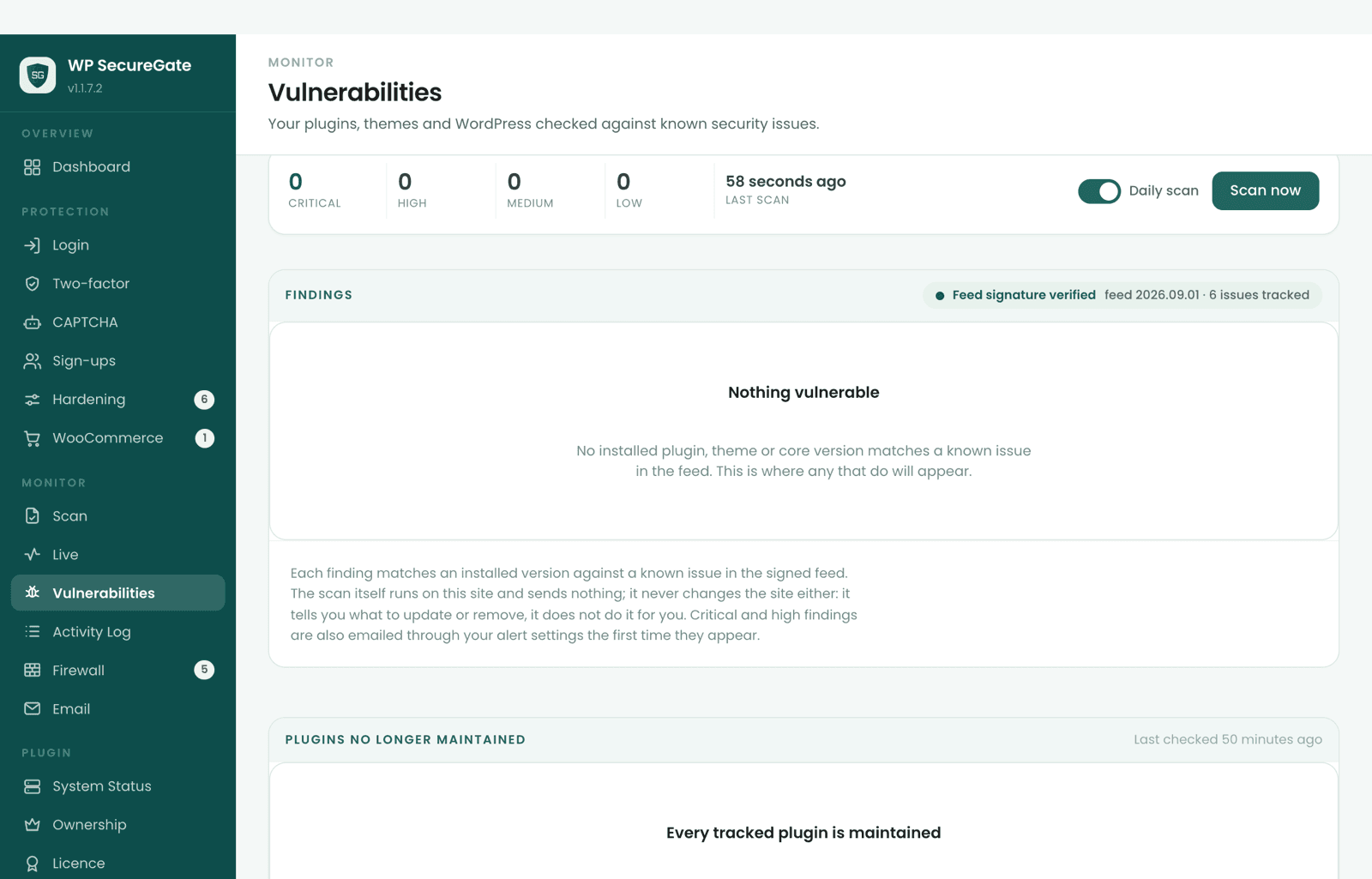
What the vulnerability scanner checks
Every installed plugin and theme, active or not, and WordPress core itself. For each one the scanner reads the installed version and checks whether it falls inside the affected range of a published vulnerability and below the version that fixes it.
Matching happens on your own server. The scan runs once a day, again as soon as a new feed arrives, and whenever you run it from the Vulnerabilities page.
On by default. Daily scanning can be switched off on the Vulnerabilities page.
Where the data comes from
The vulnerability records come from Wordfence Intelligence, a public database of WordPress plugin, theme and core vulnerabilities. Our server pulls new records from it several times a day, builds them into a feed and signs it.
Each finding names its source and links its record, and the plugin's Data licences panel reproduces the copyright notices and licences the records are published under.
A signed feed, checked before it is used
A licensed site downloads the feed on its own, with nothing to fill in: twice a day, and a couple of minutes after a plugin or theme is installed, updated or activated. Before using it, the plugin checks it:
- the feed's index must carry a valid signature from the same key that signs WP SecureGate's own updates;
- an index signed more than 7 days ago, or older than the one already held, is refused;
- data not refreshed from its source for over two weeks is refused, however recently it was signed;
- an index listing far fewer issues than the copy held is treated as broken and refused;
- every downloaded part must match the hash the signed index gives it.
Automatic. Needs an active licence; without one, only a small starter list ships with the plugin.
Only the parts your site needs
The feed is split into 256 parts by software name, and a site downloads only the parts its installed plugins and themes fall in. Each part covers roughly 1/256th of all plugins and themes, so our server learns which parts a site asked for, not which plugins it runs.
The downloaded copy is kept in a randomly named folder inside uploads, and deleting the plugin removes it.
What you see, and what to do about it
The Vulnerabilities page lists every finding with the component and its installed version, the issue and its CVE where there is one, the severity and the version that fixes it, with a link to the advisory. Where WordPress already has the update waiting, an "Update to" button takes you into WordPress's own update screen. The Scan page shows a short summary: counts by severity, the worst three, and a button to the full list.
Nothing is updated or switched off for you. An automatic change from a security tool is its own risk, so the result is a to-do list. You can dismiss a finding you have judged, and the dismissal applies to that version only, so an update that is still affected shows up again.
Emails when something new is found
A new finding is recorded in the activity log the first time it appears, and emailed to you then if you have switched email alerts on. It isn't emailed again every day, and when you update past it the log notes that it is resolved. One kind is never emailed: a WordPress core issue that affects every version and has no fix, since there is nothing to do about it. It stays listed on the page.
Recorded by default. Emails only once you switch email alerts on, which are off on a new install.
Plugins nobody is fixing
A vulnerability feed can only name issues somebody has published. A plugin that wordpress.org has closed, often over an unpatched hole, or one with no release in two years, will never get a fixed version. A separate daily check asks wordpress.org about each installed plugin and flags both, sending only the public plugin slugs. Premium and custom plugins that wordpress.org doesn't know are reported as unknown, not as a problem.
The vulnerability check runs as part of the malware scanner, and how to update safely is covered in how to update WordPress plugins safely.
On by default.
Sources
Last reviewed against the plugin on .
Part of WP SecureGate: Malware scanner →